
Disclosure: Coco n Deals may earn a commission if you buy through links on this page, at no extra cost to you. I only write about products I’ve actually researched myself.
I’ll be honest, I used to roll my eyes at “selfie drones.” Most of them were fiddly little things that needed a controller, a phone, and about twenty minutes of setup before they’d do anything useful — and half the time they’d drift into a tree anyway. So I came into this HOVERAir X1 review fully expecting to be unimpressed. That is not how it went. The X1 is one of those rare gadgets that does exactly the one thing it promises, and does it well: you tap a button, it lifts off your palm, and it films you. No sticks, no fuss. Whether that’s worth around $299 to you is the real question, and that’s what I want to get into.
Why You Can Trust This
Nobody pays me to say nice things at Coco n Deals. For this one I went through the official specs, a stack of owner reviews on Amazon and Best Buy, and the hands-on stuff creators have posted after actually flying it on hikes and bike rides. Everything else I’ve looked at lives in my reviews archive.
So What Exactly Is the HOVERAir X1?
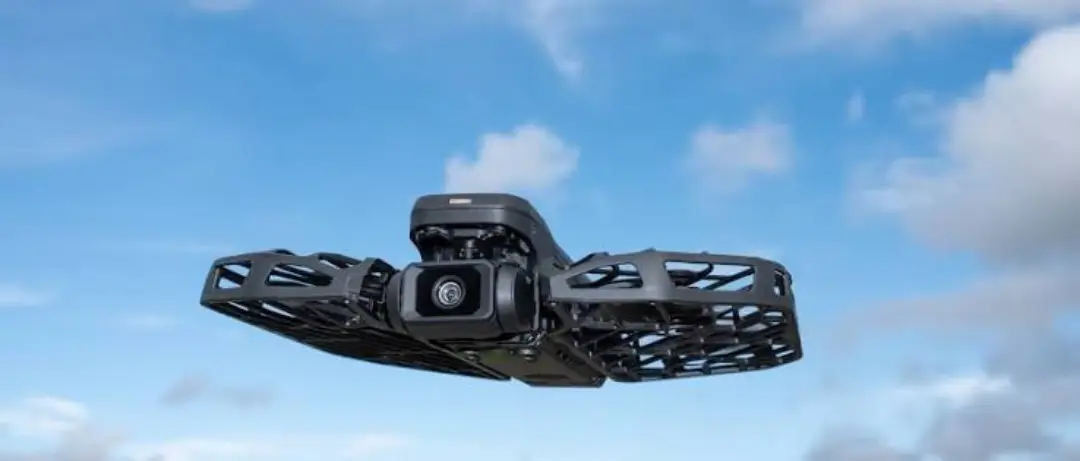
The X1 is a self flying camera drone — and I want to stress the “self-flying” part, because it’s the whole point. It weighs just 125 grams (lighter than an iPhone), folds down to something that genuinely fits in a jacket pocket, and because it’s under that 250g line, you don’t need to register it with the FAA. That alone removes a headache most people don’t want. You set it flat on your hand, pick a mode, press the button, and it takes off on its own. When you’re done, it lands back in your palm. The standard X1 shoots up to 2.7K HDR video through a built-in gimbal camera, has 32GB of storage baked in, and runs a triple-stabilisation system so your footage doesn’t look like it was filmed during an earthquake. There are a handful of flight modes — Hover, Follow, Orbit, Zoom Out, and a couple more — and it tracks you at up to 15 mph. The newer Pro and ProMax models push that further (more on those in a second), but the base X1 is the one most people are actually looking at, and it usually runs about $299 for the combo.
What It Gets Right
- The palm takeoff genuinely works: this isn’t a gimmick. Tap, it lifts off your hand, films, comes back. My grandmother could use it, honestly.
- No FAA registration hassle: at 125g it slips under the rules, so there’s none of the paperwork bigger drones drag along.
- Follow mode is the killer feature: it’s a proper follow me drone — it locks onto you and keeps you centred while you bike, ski, or just walk the dog. That’s the thing people buy it for.
- It’s pocketable for real: folded up it’s tiny. This matters, because the best camera is the one you actually bring, and you’ll bring this.
- Steady footage: the triple stabilisation does its job — owners consistently mention how smooth the video looks even during fast movement.
X1 vs Pro vs ProMax: Which One Do You Buy?
Here’s where people get stuck, because there are now three versions and the names don’t make it obvious. Quick breakdown:
| X1 | X1 Pro | X1 ProMax | |
|---|---|---|---|
| Video | 2.7K HDR | Up to 4K | 8K / 4K 60fps |
| Tracking speed | Up to 15 mph | Faster | Up to ~37 mph burst |
| Best for | Casual, travel, family | Sports, better detail | Serious action/creators |
| Price | ~$299 | Higher | Highest |
My honest take on the HOVERAir X1 vs Pro question: unless you’re filming fast action — mountain biking, skiing, that sort of thing — or you genuinely need 4K and 8K for professional work, the base X1 is plenty. Most people buying this want easy travel and family footage, and for that the standard model is the sweet spot. Don’t pay for 8K you’ll never export.
What to Actually Buy
1. HOVERAir X1 Combo — ~$299
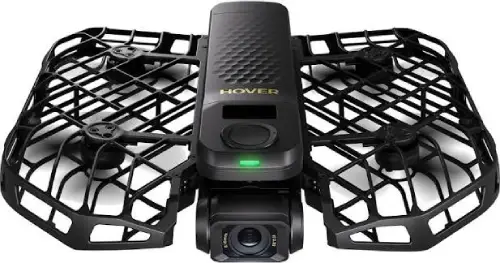
The standard kit, and the one this review is really about. Comes with the drone plus extra batteries in the combo bundle, which you’ll want, because a single battery doesn’t last a full day out.
2. Extra Batteries / Fly More bundle
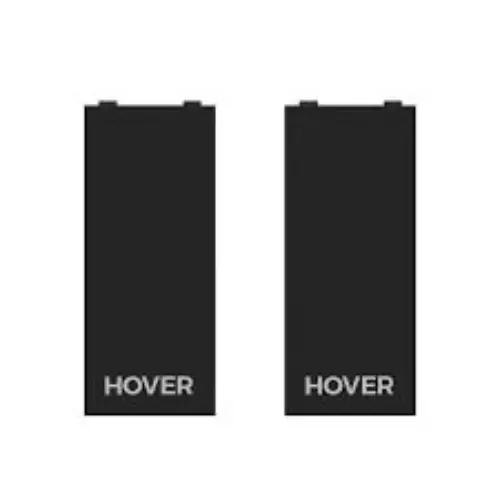
Seriously, get these. One battery gives you a handful of short flights and that’s it. The bundles with a charging hub and 3–4 batteries are the difference between filming all day and standing around waiting to recharge.
3. HOVERAir X1 Pro / ProMax — for action
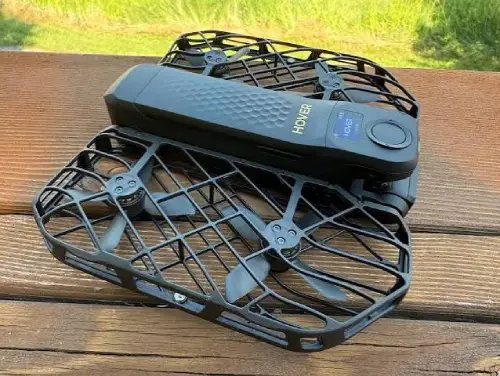
Step up here only if you film sport or need the higher resolution. The ProMax does 8K and tracks much faster, but it’s overkill for casual use.
4. Carry case
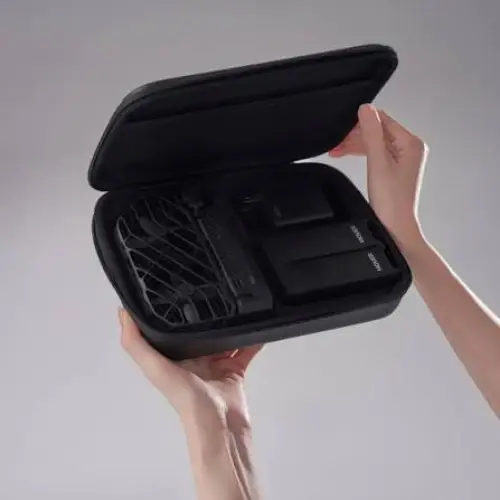
It’s small and it folds, but it’s still a camera with a gimbal. A case keeps grit out of the works if you’re throwing it in a backpack on the trail.
What Owners Are Saying
The thing that comes up again and again is relief — people are just glad to stop asking strangers to take their photo, or lugging a selfie stick around. Solo travellers love it. Parents love it because they can finally be in the family video instead of always behind the phone. The follow mode gets specific praise for actually keeping up and staying locked on, which is where cheaper follow-me drones tend to fall apart. And the palm landing genuinely delights people — there’s something satisfying about it flying back to your hand.
Now the honest bits, because no gadget is perfect. Battery life is the big one — a single charge won’t get you through a full day, so the extra batteries aren’t really optional, they’re part of the real cost. The 2.7K on the base model is good, not jaw-dropping; if you pixel-peep, you’ll want the Pro. It struggles a bit in strong wind, being so light. And it’s not built for long-range flying or manual piloting — that’s not what it’s for, but some buyers expect a “normal” drone and get surprised. None of that changes what it is: the easiest way to film yourself hands-free that I’ve come across. If you want the outdoor gear I’ve looked at alongside it, my
reviews archive has the rest.
The Social Side
It’s no mystery why this thing blew up on Instagram and TikTok. The demo sells itself in about five seconds — someone tosses it off their palm, it swoops around them on a mountaintop, and lands back in their hand. You can’t script better content than that. It’s become the default “how did they film that?” answer for travel creators, and the fact that it needs zero piloting skill means regular people post their own clips too, not just pros. That word-of-mouth is a big part of why it’s everywhere now.
The Verdict
If you travel, hike, have kids, or just want to be in your own footage without holding anything — yes, get it. This HOVERAir X1 review lands on a clear thumbs-up for the right person: the palm takeoff and follow mode genuinely deliver, it’s pocketable, the footage is smooth, and there’s no FAA paperwork to deal with. Just buy the battery bundle with it, because you’ll need the extra flights. Skip it if you want a proper long-range camera drone or you’re chasing the absolute best image quality — that’s Pro or ProMax territory. For everyone else, the standard X1 is the one. Ease of use: 5/5. Follow tracking: 4.5/5. Battery: 3/5. Value: 4/5.
A Few Common Questions
Is the HOVERAir X1 hard to fly?
Not at all — that’s the whole point. There’s no controller and no piloting needed. You put it on your palm, pick a mode, tap once, and it flies itself. It lands back in your hand when you’re done. It really is about as simple as a gadget gets.
Do I need to register the HOVERAir X1 with the FAA?
No. It weighs 125 grams, which keeps it under the 250g threshold that triggers FAA registration in the US. That’s one of the quiet perks — you skip the paperwork most drones require and can just fly.
HOVERAir X1 vs Pro — which should I get?
For casual travel, family and everyday clips, the standard X1 is plenty and saves you money. Go Pro or ProMax only if you film fast action or need 4K/8K resolution. Most people genuinely don’t, so start with the base model unless you know you need more.
How long does the battery last?
Not long per charge — you get a few short flights, not hours. That’s why the combo and Fly More bundles with extra batteries and a charging hub are worth it. Plan on carrying spares if you want to film through a whole day out.
