
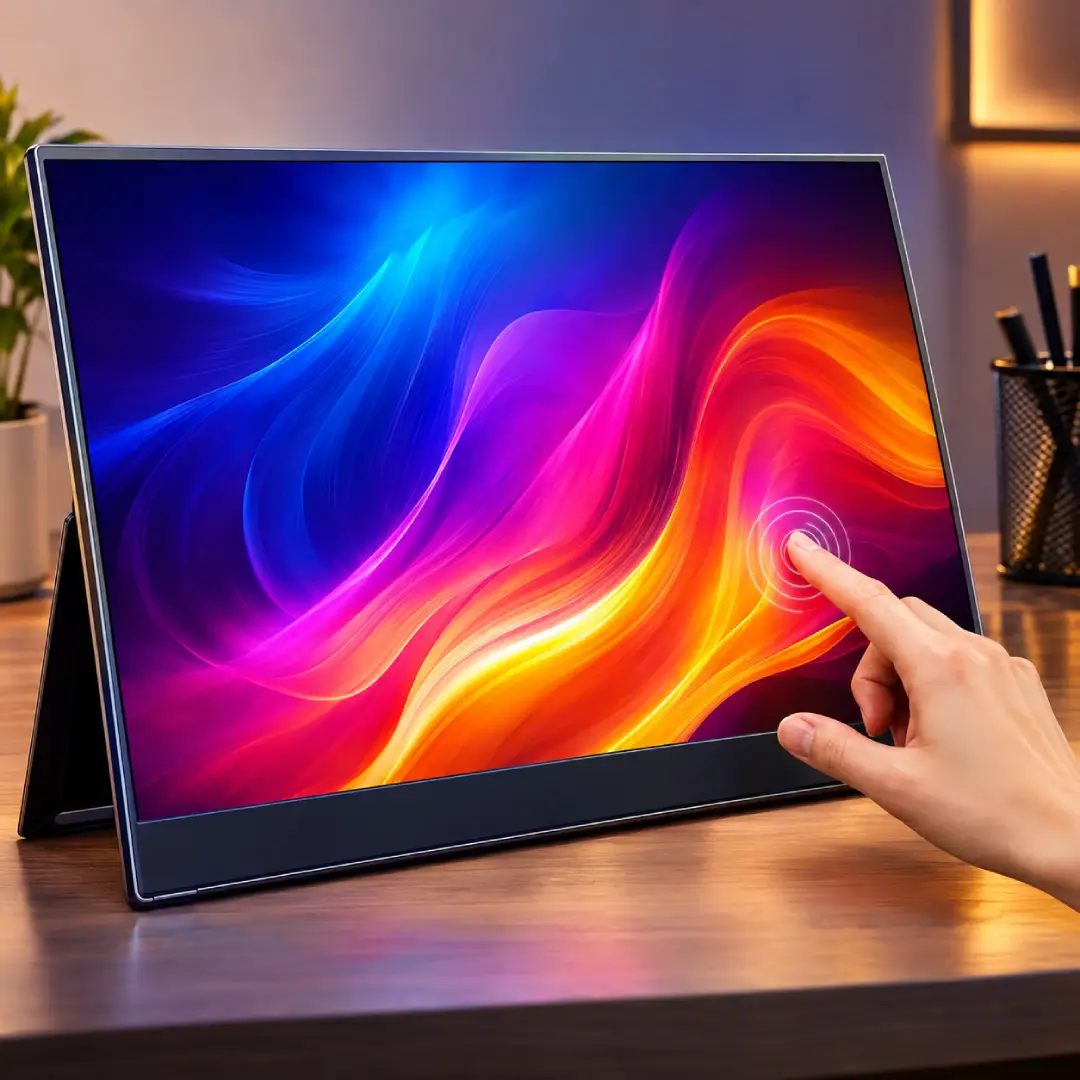
Disclosure: Coco n Deals may earn a commission if you buy through links on this page, at no extra cost to you. I only write about products I’ve actually researched myself.
Once you’ve worked on two screens, going back to one feels like typing with an oven mitt on — everything takes longer and you keep losing your place. The problem has always been that a second monitor tethered you to a desk. Portable monitors fix that, and UPERFECT is one of the biggest names in the space, with a huge range that spans cheap-and-cheerful travel screens up to gorgeous 4K OLED panels. This UPERFECT portable monitor review works out whether adding one to your bag is genuinely worth it, and — more usefully — which of their many models actually fits how you’ll use it, because buying the wrong one is the main way people end up disappointed.
Why Trust This Review
Nobody pays me for a nice verdict at Coco n Deals. For this I went through UPERFECT’s lineup and specs, owner reviews across work, gaming and travel use, and how the models genuinely differ. Everything I’ve reviewed is in my reviews archive.
What Is a UPERFECT Portable Monitor?
A portable monitor is a slim, lightweight external screen, usually 14 to 16 inches, that connects to a laptop, phone, console or mini-PC to add display space, then folds flat into your bag. UPERFECT has built its reputation by covering the whole range rather than one price point. At the accessible end are simple 1080p IPS panels that make a brilliant best portable monitor for laptop pick — plug in over one USB-C cable and you’ve doubled your workspace on a train or in a hotel. In the middle sit sharper, higher-refresh panels for gamers wanting a portable second screen for a console or Steam Deck. At the top, the UPERFECT 4K monitor review territory — genuinely lovely 4K and OLED panels with superb colour for creative work and media. Most connect via USB-C (one cable for video and power on supported laptops) or Mini-HDMI, many have a built-in kickstand, and the better ones are colour-certified. The key thing before buying: “UPERFECT portable monitor” isn’t one product — it’s a big family, and matching the model to your use is the whole game.
What UPERFECT Gets Right
- The productivity boost is real and immediate: a second screen anywhere genuinely changes how you work on the move — email on one, document on the other, no more alt-tab juggling. This is the core payoff and it delivers.
- One-cable USB-C simplicity: on supported laptops a single USB-C cable carries video and power, so a USB-C portable monitor for work travel setup is genuinely plug-and-go — no power brick, no clutter.
- A model for every need and budget: from sub-$100 1080p travel screens to 4K OLED stunners — the breadth means you can match spend to purpose instead of over- or under-buying.
- Genuinely portable: slim, light, with a built-in stand and often a folio cover — it slips into a laptop bag and sets up in seconds.
- The premium panels punch above their price: the 4K and OLED options deliver colour and sharpness that impress creatives, at prices below equivalent desktop displays.
Which UPERFECT Should You Buy?
This is the whole decision, so here’s the use-case guide:
| Your use | Get this | Why | Note |
|---|---|---|---|
| Work / travel on a budget | 1080p IPS USB-C | Cheap, light, one-cable | Not for gaming |
| Gaming / console / Steam Deck | High-refresh panel | Smoother motion | Costs more |
| Creative / media / 4K | 4K or OLED | Superb colour & sharpness | Priciest, check ports |
| Phone / minimal desk | Lightweight 14” | Ultra-portable | Smaller workspace |
My honest steer: most people asking “is a portable monitor worth it” want it for work and travel — and for that, a straightforward 1080p USB-C model is the sweet spot; don’t overpay for 4K you won’t notice on a 15-inch panel from two feet away. Buy the high-refresh models only if you’re actually gaming, and the 4K/OLED panels only if colour accuracy matters to your work. And always check your laptop supports USB-C video (DisplayPort Alt Mode) — that’s the one compatibility gotcha worth confirming before you order.
What to Buy
1. UPERFECT 1080p USB-C Monitor — the everyday pick
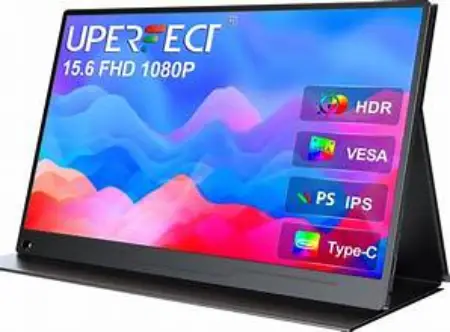
The best all-rounder for work and travel: a 15- or 16-inch 1080p IPS panel that runs off one USB-C cable. This is the one most people should buy — light, affordable, and instantly doubles your laptop workspace.
2. UPERFECT High-Refresh Gaming Monitor
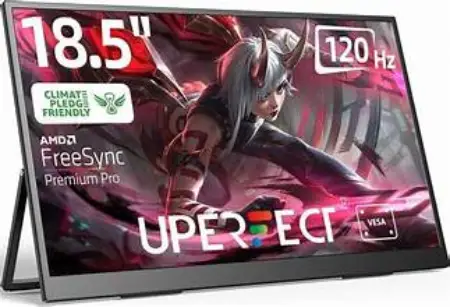
For console, Steam Deck or gaming laptop use — a faster-refresh panel for smoother motion on the go. Step up here only if you actually game; the extra spend is wasted on spreadsheets.
3. UPERFECT 4K / OLED Monitor — the premium pick
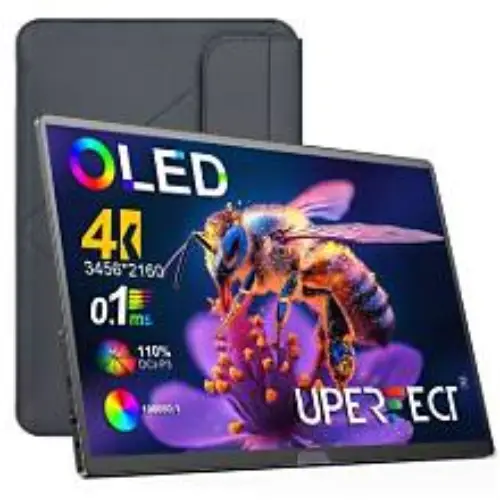
The colour-accurate 4K and OLED panels for creative work, photo/video editing and media. Gorgeous screens — just confirm the ports and that you’ll genuinely use the resolution before paying for it.
4. A Good USB-C Cable / Stand

A quality full-feature USB-C cable (video-capable) avoids the “why won’t it work” headache, and a folding stand improves ergonomics. Small add-ons that make the setup genuinely pleasant.
What Owners Say
The satisfaction is high and specific: remote workers and digital nomads describe the productivity jump as transformative — a real dual-screen setup in a coffee shop or hotel room — and the one-cable USB-C convenience gets constant praise for how tidy it is. The premium 4K and OLED panels genuinely wow their buyers on colour and sharpness, gamers like having a portable second screen for consoles and handhelds, and the build quality and included stands/covers land well for the price. For a lot of people it becomes a permanent bag item they didn’t know they needed.
The honest cons. Compatibility is the big one — the single-cable USB-C magic only works if your laptop outputs video over USB-C; older or budget machines may need the Mini-HDMI plus separate power route, so check before buying. Brightness on the cheaper panels is fine indoors but struggles in bright sun. The built-in speakers are present rather than good — use headphones. Battery-free models draw power from your laptop, which drains it faster, so a long untethered session may want a power source. And with such a big range, model names get confusing — which is exactly why matching use to model matters. None of that dents the core value: portable, genuine extra screen space. For more tech I’ve looked at, my
reviews archive has it.
The Social Side
Portable monitors are a staple of desk-setup and digital-nomad content — the “my entire mobile office fits in one bag” reveals, the dual-screen-in-a-cafe shots — and UPERFECT features heavily because it covers every price point people are shopping. It shows up constantly in “best portable monitor” roundups (including its own well-known ones), and the breadth means there’s a UPERFECT in most recommendation lists whatever the budget. It’s a practical, productivity-led product, and remote workers are quick to recommend the one that solved their cramped-laptop problem.
The Verdict
If you work, game or create away from a desk, a portable monitor is one of the best-value upgrades going — and UPERFECT is the range to shop. This UPERFECT portable monitor review lands on: the productivity boost is real, the one-cable USB-C setup is genuinely convenient, and the lineup spans from bargain travel screens to stunning 4K OLED panels, so you can match spend to purpose. The whole trick is buying the right model — a simple 1080p USB-C panel is the best portable monitor for laptop work for most people; save the 4K and high-refresh money for creative or gaming needs — and confirming your laptop does USB-C video first. Get that right and it earns its place in your bag daily. Productivity value: 5/5. Portability: 4.5/5. Range & choice: 5/5. Ease (compatibility caveat): 4/5.
A Few Common Questions
Is a UPERFECT portable monitor worth it?
For anyone who works, games or creates away from a desk, yes — a second screen on the go is a genuine productivity upgrade, and UPERFECT covers every budget from sub-$100 travel panels to 4K OLED. The key is matching the model to your use and confirming your laptop outputs video over USB-C. Buy the right one and it quickly becomes a permanent bag essential.
What’s the best UPERFECT monitor for a laptop?
For most laptop work and travel, a straightforward 15- or 16-inch 1080p IPS panel with USB-C is the sweet spot — light, affordable, and powered by a single cable on supported laptops. You don’t need 4K on a small screen viewed up close, so save that money unless you’re doing colour-critical creative work. Just check your laptop supports USB-C video first.
Does the UPERFECT work with one USB-C cable?
On laptops that output video over USB-C (DisplayPort Alt Mode), yes — a single USB-C cable carries both video and power, which is the setup’s big convenience. Older or budget laptops that don’t support USB-C video need the Mini-HDMI connection plus a separate power source. Confirming your laptop’s USB-C video support before buying avoids the most common frustration.
Is the UPERFECT 4K monitor good for creative work?
The 4K and OLED panels are genuinely impressive for the price — sharp, with strong colour that photo and video editors appreciate, often below equivalent desktop-display cost. If colour accuracy matters to your work, they’re worth the premium; if you’re mainly doing documents and email, a 1080p panel saves money without a noticeable downside. Check the ports match your workflow before buying.
